
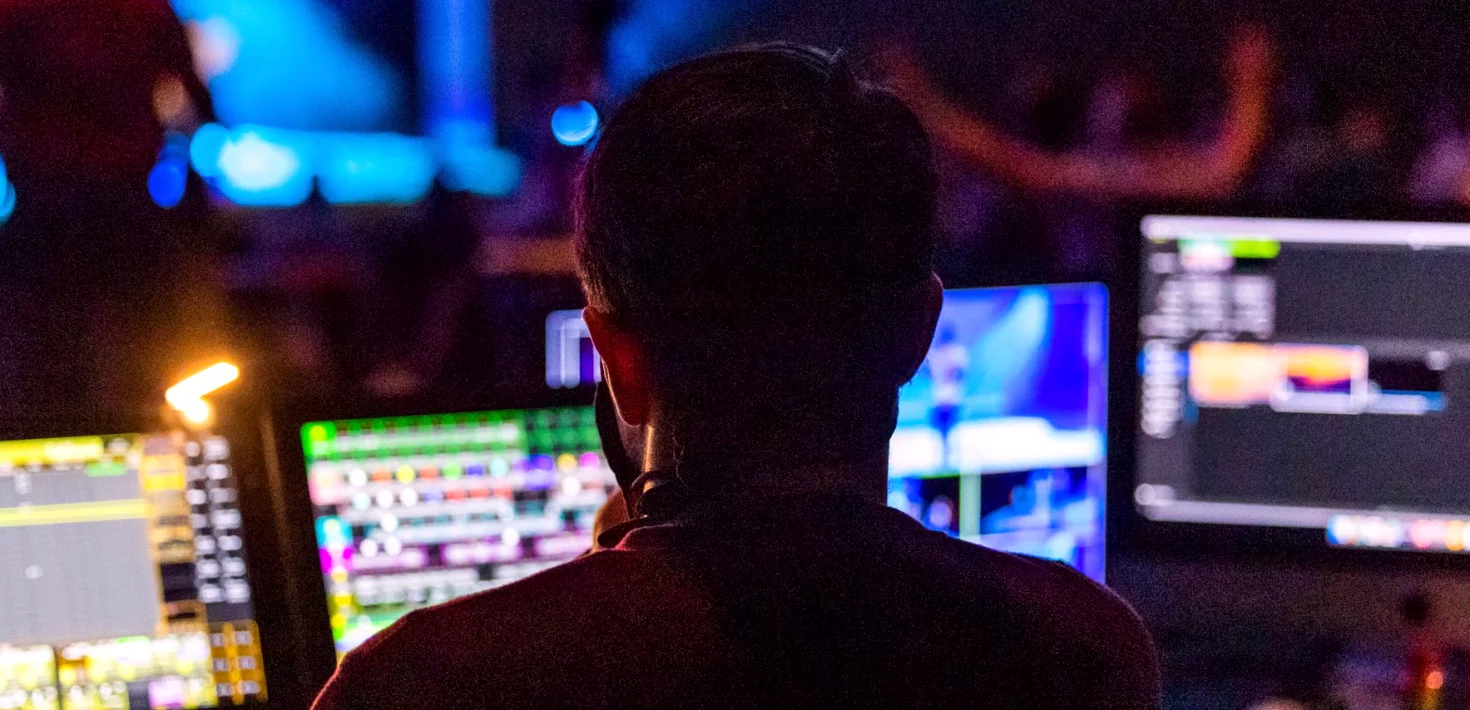
Inside a gallery build: how we lay out a control room
A technical engineer walks through the practical order of a control room fit-out, from desk positions and sightlines to signal paths, and the small decisions that keep a long broadcast day steady.
Starting with people, not equipment
Before I draw a single cable run, I want to know who will sit in the room and for how long. A gallery for a three-hour studio show is a different space from one that crews will occupy for twelve hours at a festival. So the first conversation is about roles: who cuts, who runs graphics, who calls the show, who needs to talk to the floor.
From that list I sketch positions on a plain floor plan. The director and vision mixer usually sit side by side with a clear view of the monitor wall, while the producer sits slightly behind so they can speak without leaning across anyone. Only once those seats feel right do I start placing racks, routers and power. Equipment can be moved later in the design; an operator who has been squeezed into the wrong spot cannot easily be helped.
Sightlines and the monitor wall
The monitor wall is the room's main working surface, so its height and distance matter more than its size. I check the view from every seat, including the end positions, because a screen that reads well from the middle can be awkward from the edge. If someone has to tilt their head to see the programme output, they will feel it by the second hour.
We group monitors by purpose: camera sources together, programme and preview in the centre, then replay, graphics and stream returns to one side. Labels are written in the same words the crew uses on the day, not the names from the equipment manual. Where the room allows, we leave a little spare wall space, because a show almost always asks for one more feed than the plan had.
- Test the view from the outermost seats
- Keep programme and preview at eye level
- Label sources in the crew's own words
Signal routing that can be read at a glance
Routing is where a tidy design earns its keep. I aim for a signal path that a stranger could trace in a few minutes: cameras in, through the router, to the switcher, then out to monitors, recorders and the transmission feed. Every connection has a label at both ends, and the patch bay follows the same order as the wall.
Spare capacity is planned rather than hoped for. We leave a few unused router inputs and outputs and keep a short list of what is assigned to each. When a guest feed or an extra camera is added in the middle of a rehearsal, the change becomes a two-minute job instead of a hunt through bundles of cable. Clear routing also makes fault-finding faster, which is the whole point when a show is live.
Comfort, power and heat
Operators work better in a room that is easy to be in. We set desk heights so that wrists rest naturally on the switcher and the replay controller, and we leave enough legroom to shift position over a long day. Chairs are chosen for support, not appearance, and cable trunking is kept clear of feet and chair wheels.
Power and cooling are the quiet risks. Racks produce more heat than people expect, and a small gallery can warm up quickly with a full crew inside. We separate equipment circuits from general supply, use clean distribution to the racks, and plan airflow so that warm air has somewhere to go. In autumn and winter, when venues can be draughty or unevenly heated, this planning still matters as much as it does in summer.
- Separate equipment power from general supply
- Give racks room to breathe
- Keep walkways free of loose cable
Testing the room before anyone relies on it
A finished build is not a working room until it has been run. We do a full signal walk-through: each camera, each return, each graphics and replay feed, checking that what is labelled matches what appears. Then we run a mock sequence with the actual crew, cutting between sources and calling cues as they would on the day.
This is where small problems show themselves: a monitor that sits a little too far from the director, a talkback channel that is hard to find, a stray reflection on a screen. They are cheap to fix in rehearsal and costly during transmission. I keep a written note of every change made during testing so the next person to work in the room starts from the same understanding.
What we hand over
When a build is complete, the client receives a simple set of documents: a floor plan, a routing diagram, a source list and a note of how the room is powered. They are written in plain language and kept short enough that someone new can learn the room in an afternoon.
We also stay available after handover. Rooms change as productions change, and it is better to adjust a layout early than to let workarounds pile up. The aim throughout is a gallery that feels obvious to use, so that the crew can spend their attention on the programme rather than on the room around them.
A well-built control room rarely draws attention to itself. People sit down, see what they need, hear who they need to hear, and get on with the show. Most of that comes from decisions made well before transmission: where the seats go, how signals are labelled, how much spare capacity is left. If you are planning a new gallery or reworking an old one, we are glad to talk it through.
Daniel Foster
Technical EngineerDaniel designs signal paths and maintains our control room equipment. He keeps systems steady during long broadcast days.
Talk through your control room layout with us
Send us a few details about your space and the roles in your crew. We will reply with questions and a sensible first outline of layout and signal routing.
Contact- Tell us how many operators will sit in the room
- Share the sources and outputs you expect to handle
- Let us know your timeline and the venue